The humble desk mat has undergone a significant transformation, evolving from a simple protective layer into a multifaceted tool that enhances both the aesthetics and functionality of your workspace. Far more than just a surface, a desk mat that doubles as a mouse pad – often called an extended mouse pad or a desk mat mouse pad – is a crucial upgrade for anyone seeking to optimize their desk for productivity, comfort, and style.
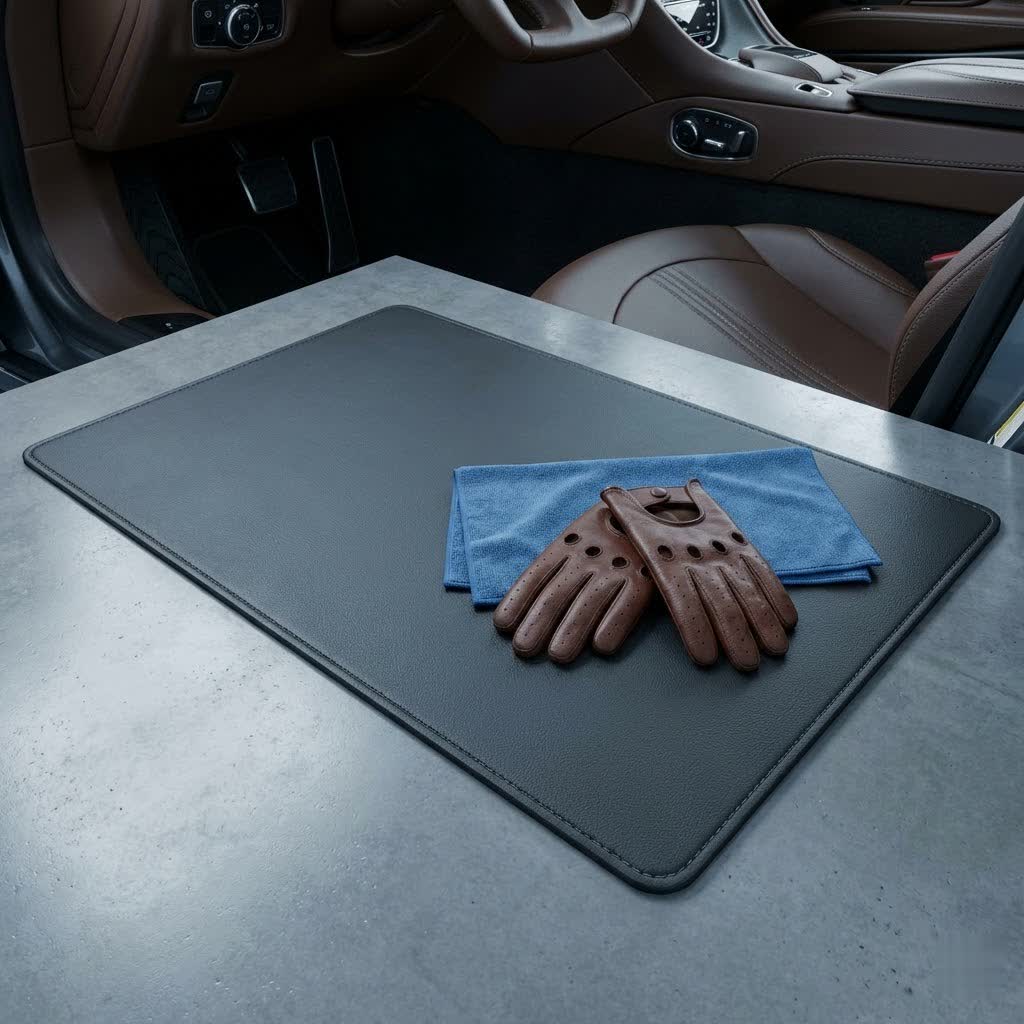
In this comprehensive guide, we’ll delve into everything you need to know about these versatile accessories. Whether you’re a hardcore gamer, a diligent professional, or a creative enthusiast, understanding the nuances of desk mat mouse pads will help you choose the perfect one to transform your desk from chaotic to coordinated, from standard to exceptional. Get ready to discover how a single accessory can redefine your daily interaction with your computer setup.
What is a Desk Mat Mouse Pad and Why You Need One?
A desk mat mouse pad is essentially an oversized surface covering a substantial portion of your desk, specifically designed to accommodate both your keyboard and mouse, thereby creating an integrated, seamless mouse pad experience. Unlike traditional, smaller mouse pads that only provide room for your mouse, these larger mats extend across your primary work area, offering a unified and functional surface.
The benefits of incorporating a desk mat mouse pad into your setup are numerous and impactful:
- Superior Desk Protection: Your desk is an investment, and a desk mat acts as a robust shield against scratches, scuffs, spills, and daily wear and tear. It preserves the surface underneath, keeping your desk looking new for longer.
- Enhanced Mouse Performance: A dedicated, consistent surface is paramount for precise mouse tracking and smooth gliding. Desk mat mouse pads are engineered with optimized textures that allow your mouse to move effortlessly, improving accuracy and responsiveness, which is particularly beneficial for gaming or detailed design work.
- Improved Ergonomics and Comfort: The soft, continuous surface provides a comfortable resting place for your wrists and forearms, reducing strain during long hours of typing and mousing. This can contribute to better posture and reduced discomfort.
- Aesthetic Appeal and Organization: A desk mat instantly ties your entire desk setup together, creating a cohesive and polished look. It defines your workspace, making it appear more organized and visually appealing, allowing you to express your personal style.
- Versatility for Every Task: Whether you’re navigating spreadsheets, engaging in competitive online gaming, or sketching digital artwork, a desk mat mouse pad provides a stable and reliable foundation for all your activities.
Choosing the Right Material for Your Desk Mat Mouse Pad
The material of your desk mat mouse pad significantly impacts its feel, performance, durability, and maintenance. Understanding the characteristics of each common material is key to making an informed decision.
Fabric/Cloth Desk Mats
These are perhaps the most popular type, often crafted from micro-woven cloth for optimal mouse tracking.
- Pros: They offer a smooth yet controlled glide, are generally affordable, and provide a comfortable, soft surface for your wrists. They come in a vast array of colors and designs.
- Cons: Fabric mats are more susceptible to stains and can be challenging to clean thoroughly. Without stitched edges, they can fray over time.
- Care: Many fabric mats can be hand-washed with mild soap and air-dried. Regular spot cleaning helps maintain their appearance.
|
Our Picks for the Best Desk Mat in 2026
As an Amazon Associate I earn from qualifying purchases.
|
||
| Num | Product | Action |
|---|---|---|
| 1 | Aothia Non-Slip Waterproof PU Leather Desk Pad Protector for Mouse, Writing Desk, Office, Home, Laptop Blotter, 23.6" x 13.7", Black |

|
| 2 | Aothia Leather Office Desk Pad Protector, Non-Slip PU Leather Desk Blotter, Waterproof Laptop Writing Mouse Pad for Office and Home, Black, 31.5" x 15.7" |
|
| 3 | POUT TekDec Mat – Vegan Leather Desk Pad (31.5×13.4in / 80×34cm), Water-Resistant Surface, Anti-Slip Base, Scratch & Heat Protection, Multi-Functional Writing & Mouse Pad – Danish Black |
|
| 4 | YSAGi Leather Desk Pad Protector, Office Desk Mat, Large Mouse Pad, Non-Slip PU Leather Desk Blotter, Waterproof Laptop Desk Writing Pad for Office and Home (23.6" x 13.8", Eggshell) |
|
| 5 | YSAGi Leather Office Desk Pad Protector, Large Mouse Pad, Non-Slip, PU Leather, Laptop Desk Blotter, Waterproof Writing Pad for Office and Home, Black, 23.6" x 13.8" |
|
| 6 | Felt Desk Mat - Computer Mat for Desk(36x12Inches) - Large Felt Mouse Pad and Keyboard Mat - Desk Protector for Office - Dark Gray |
|
| 7 | QIYI Large Mouse Pad, Cute Pink Desk Mat for Desktop, Women Girls PU Leather Desk Pad Waterproof Gaming Mousepad, Rose Gold Marble Computer Protector Writing Pad for School Office Home 31.5" x 15.7" |
|
| 8 | Logitech Desk Mat - Studio Series, Multifunctional Large Desk Pad, Extended Mouse Mat, Office Desk Protector with Anti-Slip Base, Spill-Resistant Durable Design, in Mid-Grey |
|
| 9 | Desk Pad Blotter,Wolaile 36x17 in Large PU Leather Mouse Pad,Waterproof Non-Slip Writing Desktop Protector Mat,Office Desk Accessory,Brown |
|
| 10 | Premium Gaming Mouse Pad, Double-Sided PU Leather Stitched Edge Large Desk Pad 17.7x35.4 Inch, Waterproof Desk Protector for Home Office Gaming |
|
Leather/PU Leather Desk Mats
For those who prioritize aesthetics and a premium feel, leather or its synthetic counterpart, PU leather, are excellent choices.
- Pros: They exude a sophisticated, executive look and are highly durable. Leather mats are water-resistant and incredibly easy to wipe clean with a damp cloth, making them resistant to spills. They offer a smooth, fast glide.
- Cons: Genuine leather mats can be significantly more expensive. They might be prone to showing scratches over time, and some users might find them to offer less “grip” for extremely precise mouse movements compared to textured cloth.
- Care: Wipe regularly with a damp cloth. For genuine leather, specific leather cleaners and conditioners can extend its life and maintain its luster.
Hard Surface Desk Mats (Plastic, PVC, Glass, Linoleum)
Designed for speed and durability, hard surface mats provide a distinct user experience.
- Pros: They offer an ultra-smooth, low-friction surface for incredibly fast mouse glides, making them ideal for speed-focused gaming. They are exceptionally durable, waterproof, and the easiest to clean.
- Cons: Hard surfaces can be less comfortable for wrists compared to softer materials and might feel cold. Mouse clicks and movements can be louder. They typically offer less “control” for precision tasks compared to textured cloth mats.
- Care: A simple wipe-down with water or a mild cleaner is usually sufficient to keep these mats pristine.
Comparison Table of Desk Mat Mouse Pad Materials
| Material | Pros | Cons | Price Range | Durability | Best For |
|---|---|---|---|---|---|
| Fabric/Cloth | Smooth glide, good control, comfortable, wide design options | Prone to stains, can fray (if unstitched), harder to clean | Low to Medium | Medium | All-rounder, gaming, graphic design |
| Leather/PU Leather | Elegant, durable, easy to clean, water-resistant | Higher cost, can scratch, less “grip” for extreme precision | Medium to High | High | Professional, aesthetic, executive setups |
| Hard (Plastic, PVC, Glass) | Fast glide, ultra-durable, waterproof, extremely easy to clean | Less comfortable, can be noisy, less control | Low to Medium | High | Speed-focused gaming, precise work, heavy use |
How to Select the Perfect Desk Mat Mouse Pad
Choosing the ideal desk mat mouse pad involves more than just picking a color. It requires considering your personal workflow, desk dimensions, and aesthetic preferences.
1. Identify Your Primary Use
- Gaming: Gamers often prioritize speed and precision. Look for mats with surfaces optimized for low friction and consistent tracking, or those offering a balance of speed and control. Hard surfaces offer speed, while finely woven cloth can provide a good balance.
- Office/Productivity: Comfort, durability, and aesthetics are usually key. Materials like PU leather or smooth fabric can offer a pleasant typing and mousing experience while enhancing your professional environment.
- Creative Work: For designers and artists, precision and ample space are crucial. A large mat with a consistent tracking surface will support detailed mouse movements.
2. Consider Size and Desk Space
Measure your desk carefully. Desk mat mouse pads come in various sizes, from extended options that fit under a full-size keyboard and offer generous mouse space, to full-desk options that cover almost the entire surface. Ensure the mat you choose leaves enough room for your monitor stand, peripherals, and any other items you keep on your desk. A common extended size might be 800x400mm, while full-desk options can be significantly larger.
3. Surface Texture: Speed vs. Control
Mouse pad surfaces are typically designed for either “speed” or “control.”
- Speed surfaces are smoother, allowing your mouse to glide with minimal friction for quick, sweeping movements.
- Control surfaces have more texture, providing tactile feedback and resistance for more precise, deliberate movements. Many modern mats offer a “hybrid” surface, aiming to provide a balance of both.
4. Edge Stitching
High-quality desk mat mouse pads often feature stitched edges. This reinforced stitching prevents the mat’s edges from fraying or peeling over time, significantly extending its lifespan and maintaining its neat appearance. It’s a small detail that makes a big difference in durability.
5. Anti-Slip Base
An effective anti-slip base, usually made of rubber or cork, is essential to keep your desk mat firmly in place, even during intense gaming sessions or vigorous work. A mat that constantly shifts can be frustrating and disruptive.
6. Additional Features
Some desk mat mouse pads offer integrated functionalities:
- Wireless Charging: Built-in Qi wireless charging pads can conveniently power your smartphone or earbuds.
- Cable Management: Small loops or channels can help route and organize your cables, keeping your desk tidy.
- Water Resistance/Waterproof: These properties protect against spills, making cleanup effortless and safeguarding your desk.
7. Budget
Desk mat mouse pads range widely in price. Determine how much you’re willing to spend, keeping in mind that higher-priced options often come with premium materials, enhanced durability, and advanced features.
8. Brand Reputation and User Reviews
Before making a final decision, research reputable brands known for quality desk accessories. Reading user reviews can provide valuable insights into a mat’s real-world performance, comfort, and durability.
Top Desk Mat Mouse Pads Recommended
While personal preference plays a significant role, certain desk mat mouse pads consistently receive high praise for their quality, performance, and features. Here are a few examples that stand out:
- SteelSeries QcK Series: Often lauded for its micro-woven cloth surface, providing an excellent balance of speed and control, making it a favorite among gamers. The QcK Heavy offers extra thickness for comfort and durability, while various sizes cater to different desk needs.
- Razer Strider Chroma: This mat features a hybrid surface, blending the slickness of a hard pad with the control of a soft one. It’s an extended size, accommodating both keyboard and mouse, and often includes vibrant RGB lighting for an immersive experience.
- Journey Alti Desk Pad: A premium vegan leather option known for its elegant design and practical features, including a magnetic wireless charging pad and a dual-layer design that allows for storing documents. It excels in combining aesthetics with functionality for a sophisticated workspace.
“A well-chosen desk mat mouse pad is more than just an accessory; it’s the foundation of an optimized and inspiring workspace.” – Admin, reviewqlub.com
Tips for Using and Maintaining Your Desk Mat Mouse Pad
Proper care and maintenance will extend the life of your desk mat mouse pad and ensure it continues to perform optimally.
- Regular Cleaning: Dust, crumbs, and oils can accumulate on your mat, affecting mouse performance and hygiene. Regularly wipe down your mat (daily or weekly, depending on use) to prevent buildup.
- Material-Specific Care: Always follow the manufacturer’s cleaning instructions. For fabric mats, spot clean with a mild soap and water solution, or hand wash if recommended. Leather and hard surface mats can typically be wiped clean with a damp cloth. Avoid harsh chemicals that could damage the material.
- Avoid Direct Sunlight: Prolonged exposure to direct sunlight can cause colors to fade and materials to degrade or warp over time, especially for rubber bases or certain synthetic materials. Position your desk to minimize sun exposure or use blinds.
- Proper Storage: If you need to store your desk mat, roll it loosely instead of folding it. Folding can create creases that are difficult to remove and may damage the internal structure of the mat. Store it in a cool, dry place.
Conclusion
A desk mat mouse pad is a powerful upgrade, seamlessly blending aesthetics, protection, and enhanced performance into a single, indispensable accessory. By carefully considering factors such as material, size, and additional features, you can select the perfect mat to transform your workspace into a more comfortable, efficient, and visually appealing environment. It’s an investment that pays dividends in both productivity and pleasure, elevating your daily computing experience.
Are you ready to redefine your desk setup? What feature do you value most in your ideal desk mat mouse pad?
Frequently Asked Questions
Desk Mat Mouse Pads có những kích thước nào phổ biến?
Desk mat mouse pads thường có nhiều kích thước, nhưng phổ biến nhất là các loại “extended” (ví dụ: 800x300mm đến 900x400mm) đủ rộng để đặt bàn phím full-size và có không gian thoải mái cho chuột. Các loại “full-desk” lớn hơn có thể bao phủ gần như toàn bộ mặt bàn, mang lại một bề mặt thống nhất.
Desk Mat có thể cải thiện độ chính xác của chuột không?
Có, một desk mat chất lượng cao có thể cải thiện độ chính xác của chuột. Bằng cách cung cấp một bề mặt phẳng, nhất quán và được tối ưu hóa về kết cấu, nó giúp cảm biến chuột theo dõi tốt hơn, giảm thiểu các lỗi đọc bề mặt và cho phép các chuyển động chuột mượt mà, chính xác hơn.
Làm thế nào để vệ sinh các loại Desk Mat Mouse Pad khác nhau đúng cách?
Việc vệ sinh phụ thuộc vào chất liệu. Desk mat vải thường có thể được lau vết bẩn bằng xà phòng nhẹ và nước, hoặc giặt tay nhẹ nhàng. Desk mat da và nhựa PVC nên được lau bằng khăn ẩm. Luôn kiểm tra hướng dẫn của nhà sản xuất để tránh làm hỏng vật liệu.
Desk Mats có bộ sạc không dây có đáng giá không?
Desk mats tích hợp bộ sạc không dây có thể rất đáng giá nếu bạn thường xuyên sạc điện thoại hoặc tai nghe trên bàn làm việc. Chúng giúp giảm bớt sự lộn xộn của dây cáp và mang lại sự tiện lợi, giữ cho các thiết bị của bạn luôn được sạc mà không cần thêm phụ kiện.
Desk Mat có tốt hơn mouse pad thông thường cho việc chơi game không?
Đối với chơi game, desk mat thường tốt hơn mouse pad thông thường. Kích thước lớn hơn của desk mat cung cấp không gian di chuột rộng rãi, cho phép các chuyển động rộng và mượt mà cần thiết trong nhiều tựa game. Nó cũng tạo ra một bề mặt thống nhất cho cả bàn phím và chuột, tăng tính ổn định và thẩm mỹ.
